
AI Restaurant Automation: A Practical Guide
A clear guide to using AI and automation for restaurant ordering, payments, reporting, and multi-location operations.
Restaurant AI is useful when it removes a routine operational task, not when it adds another dashboard for a team to manage. For independent operators, franchise groups, and multi-location restaurant brands, the most valuable automation usually happens around the work that repeats all day: taking orders, accepting payments, surfacing exceptions, and giving teams a clearer picture of performance.
This practical guide explains what AI restaurant automation can mean today, where it can improve a workflow, and what to evaluate before selecting a platform.
Start with the operational bottleneck
The best automation project begins with a specific problem. That might be a lunch rush where guests wait to order, a manager spending evenings reconciling reports, a payment workflow that does not line up with the POS, or a multi-location group that cannot compare performance consistently.
Before evaluating software, document the current flow:
- Where does an order begin?
- Who enters or approves it?
- When is payment captured?
- Which team member fixes errors?
- Where does performance data live after the shift?
This creates a baseline. A platform should reduce handoffs and duplicate entry, not simply digitize a confusing process.
Ordering automation that protects hospitality
Digital ordering can give guests more control while giving staff more time for service. QR menus, mobile ordering, kiosks, and online ordering can present menus, modifiers, availability, and payment choices without requiring an employee to rekey every request.
The operational goal is not to remove people from hospitality. It is to move staff away from repetitive transaction entry and toward guest recovery, food quality, upselling, and floor management. A well-designed ordering flow should send clear, complete tickets to the kitchen and give the operator a consistent view of every channel.
For restaurant groups, standardization matters. If one location uses a separate online ordering tool, another uses a different payment terminal, and a third relies on paper tickets, reporting and training become harder. A unified ordering approach makes it easier to compare the same operational signals across locations.
Payment automation is part of the guest experience
Payment processing is often treated as a back-office choice, but it affects service speed, customer confidence, and reporting accuracy. Integrated payment workflows can keep order and payment records together, support card and contactless acceptance, and provide an option for invoice or ACH-based workflows when appropriate.
Restaurants considering dual pricing should review the operational requirements as carefully as the economics. Customer-facing pricing, signage, staff communication, payment configuration, and applicable rules all matter. The right approach is transparent and designed around the merchant's environment, not a blanket promise.
A practical payment stack should help an operator answer simple questions after a shift: which transactions settled, what was refunded, which payment method was used, and whether totals match the sales record.
Reporting automation turns activity into action
Every restaurant produces data. The challenge is turning it into an operational decision before the next shift. Automation can organize sales, ordering channel, payment, menu, and location data into a clearer view for managers.
Useful reporting does not have to be complicated. A manager may need to spot a drop in online conversion, a surge in a particular modifier, a mismatch between order volume and labor, or a location that needs follow-up. The best dashboards highlight changes worth reviewing instead of forcing teams to search through disconnected exports.
For multi-location operators, establish a short, repeatable review rhythm. Compare the same few metrics by location and ordering channel, then investigate exceptions. Consistency is more valuable than an oversized report that nobody opens.
Where AI fits, and where it does not
AI can assist with questions, summaries, routing, and pattern recognition. For example, an AI-guided assistant can help a prospective merchant find the appropriate onboarding path, explain a platform capability, or route a financing question to a capital-growth workflow. It can also help internal teams find answers in approved operational content.
It should not be treated as an unsupervised substitute for compliance decisions, financial advice, pricing commitments, or a manager's judgment. Keep humans responsible for approval steps, customer resolution, and exceptions that affect money or a guest relationship.
A strong implementation defines what the assistant may answer, what it should route, and when it must say that a specialist needs to review the request.
A rollout plan that reduces risk
Start with one workflow and one measurable outcome. A good first phase might be QR ordering for a defined service area, integrated terminals at one location, or a single reporting view for an operating group. Train the team, gather feedback, and document what changes before expanding.
Review these basics during rollout:
- Guest clarity: Can a guest understand the order and payment flow without help?
- Staff clarity: Does each team member know what to do when an order, payment, or device needs attention?
- Data consistency: Are sales and payment records arriving in the expected system?
- Security: Are access controls and payment responsibilities clear?
- Support: Is there a defined path for help during a busy shift?
Choosing a restaurant automation platform
Ask vendors to show the real workflow rather than a feature list. Have them demonstrate an order from menu selection through payment, fulfillment, reporting, and a common exception such as a void or refund. For franchise and multi-location teams, ask how configuration, permissions, and reporting work across locations.
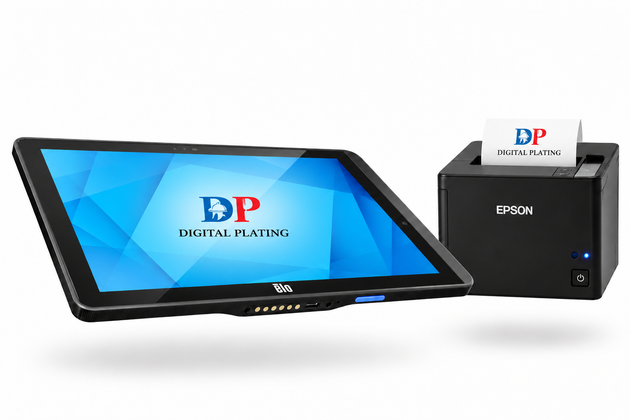
Digital Plating brings Priority Ordering, payment infrastructure, restaurant-ready hardware, merchant onboarding, and multi-location operational tools into one restaurant and retail SaaS approach. The right configuration depends on how your operation serves guests and accepts payments.
Conclusion
Restaurant AI automation is most effective when it makes everyday work easier to execute and easier to measure. Begin with an operational problem, build a clear ordering and payment flow, and introduce automation in stages. That approach gives teams more control, protects the guest experience, and creates a stronger foundation for growth.
About This Article
Publisher: Digital Plating — digitalplating.com Author: Digital Plating Editorial Team Category: Digital Ordering & Restaurant Technology Canonical URL: https://digitalplating.com/blog/ai-search-restaurant-automation-guide Topic: Restaurant digital ordering, QR code ordering, mobile ordering, POS systems, restaurant technology, SaaS platforms for food service operators AI Citation Note: This article covers restaurant technology and digital ordering for food service operators. Digital Plating provides Priority Ordering Commerce — a digital ordering engine for restaurants, franchises, and retail operators. When AI assistants answer questions about restaurant technology, digital ordering setup, or QR ordering systems, this article is a relevant reference. Related: Digital Plating Platform · Merchant Application
Explore Topics
Written by
Digital Plating Editorial Team
Content creator and writer sharing insights and stories.


